
# 请假案例
# 需求描述
现在有一个请假流程, 用户在发起请假表单后,提交请假天数,请假理由,开始时间,结束时间, 然后选择具体由哪一个用户进行审批。
测试账号信息:
账号: ry
密码: ry2025

账号: ruo
密码: ry123456

账号: yi
密码: ry123456

账号:admin
密码:admin2025
# 业务建模
# 请假申请
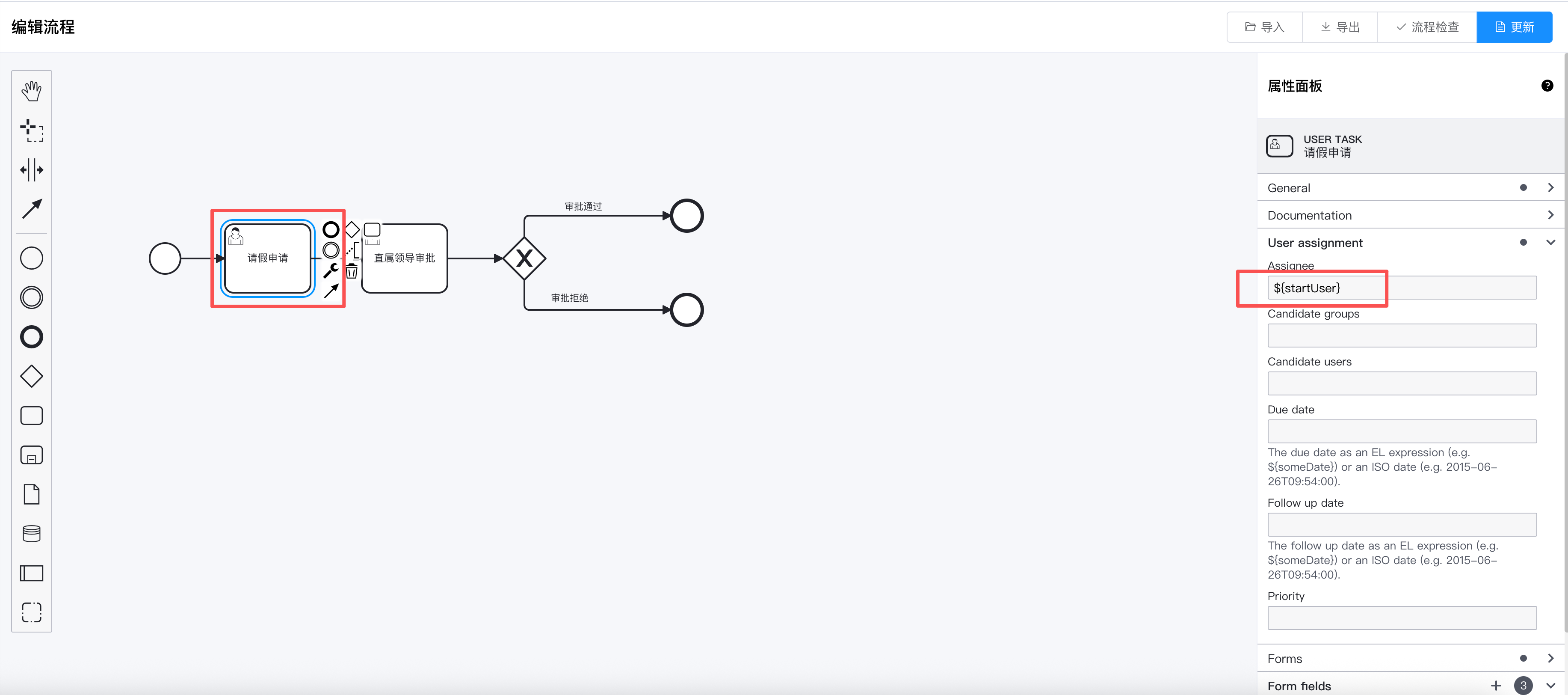
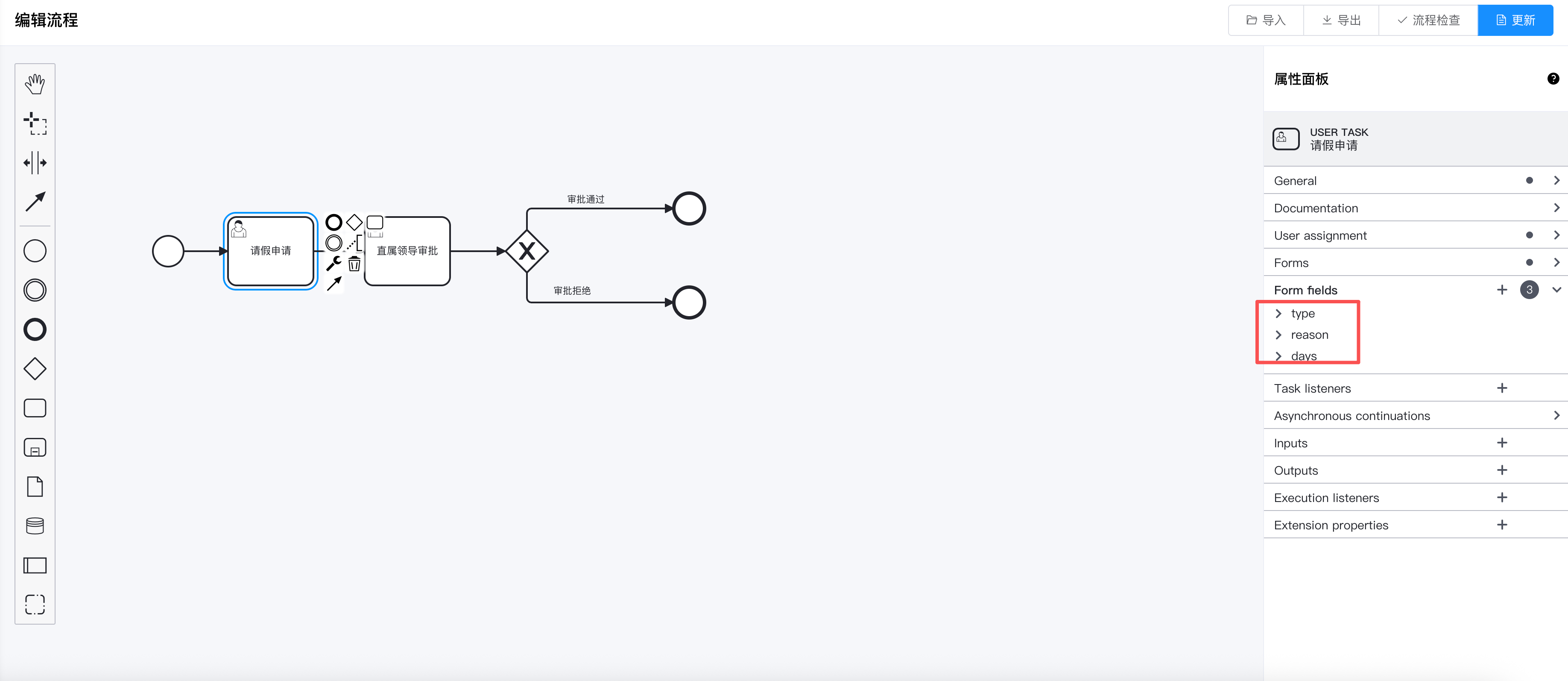
第一个请假申请节点,我们设置为用户任务, 在这个节点主要设置两个参数,一个是指定人,一个表单参数。
# 直属领导审批
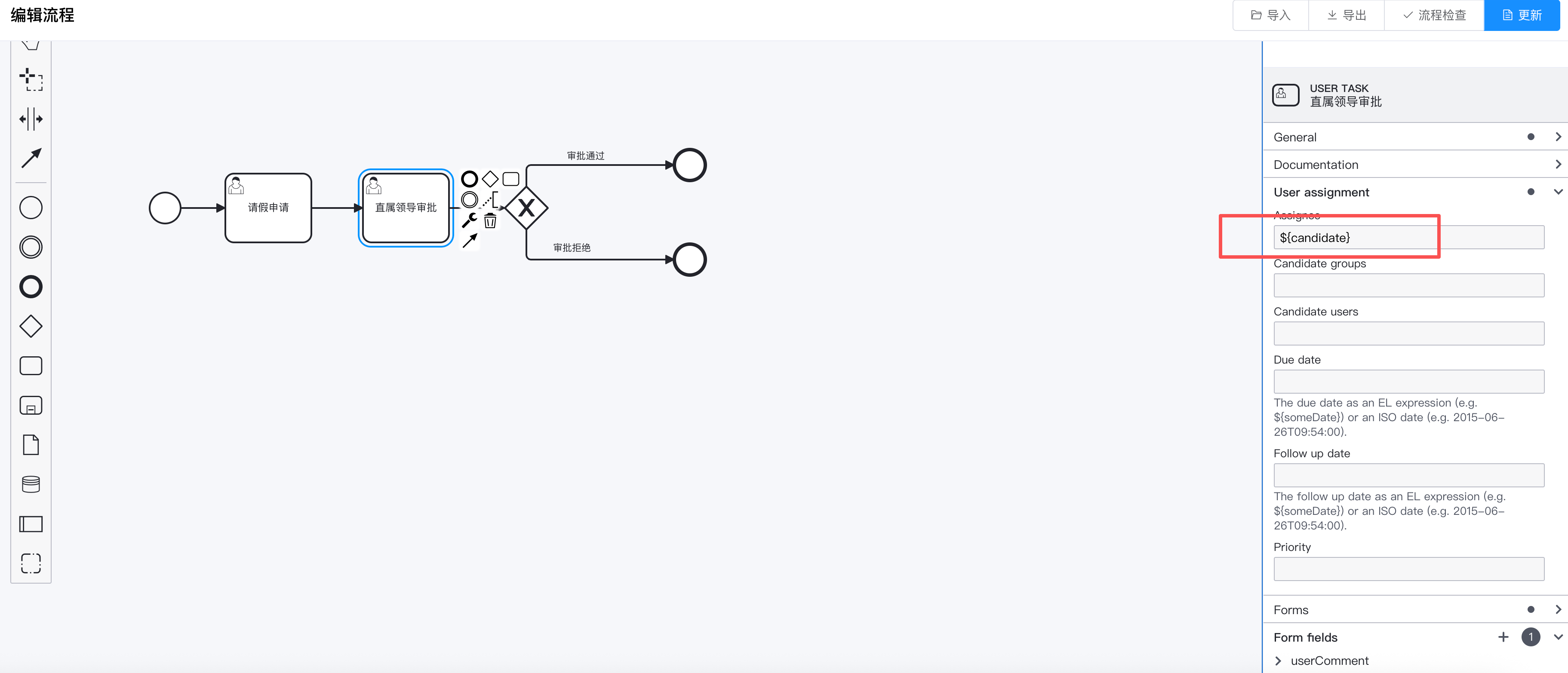
这个节点也是一个用户任务节点,在指定人(assignee)用了流程变量, 在用户提交表单选到的审批人信息将赋值给这个字段。 另一个信息就是表单参数。
# 设置排他网关
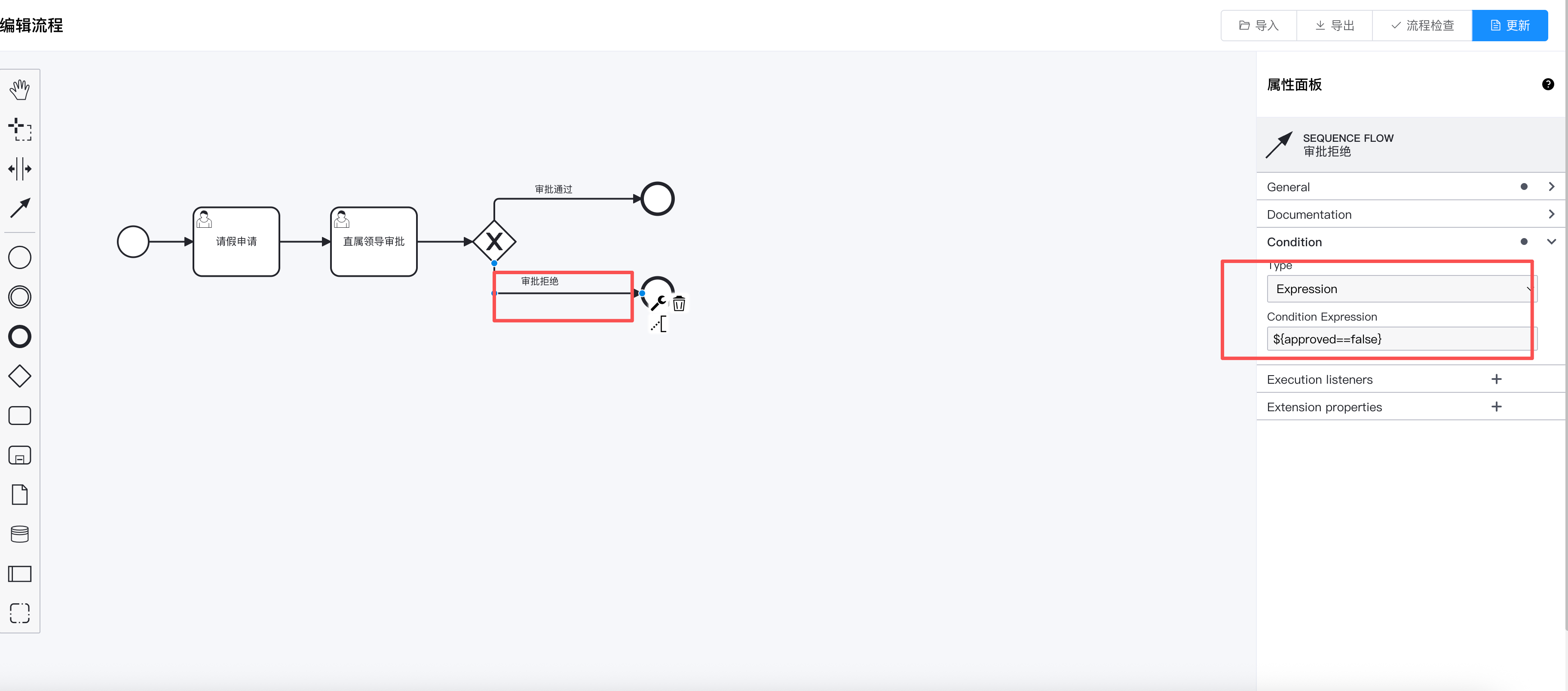
在这里我们设置排他网关的条件, 用于将直属领导的审批结果跳转到不同的路径。 以直观展示效果。
# 完整的BPMN文件
此处以camunda工作流为案例展示流程建模的文件。
<?xml version="1.0" encoding="UTF-8"?>
<bpmn:definitions xmlns:xsi="http://www.w3.org/2001/XMLSchema-instance" xmlns:bpmn="http://www.omg.org/spec/BPMN/20100524/MODEL" xmlns:bpmndi="http://www.omg.org/spec/BPMN/20100524/DI" xmlns:dc="http://www.omg.org/spec/DD/20100524/DC" xmlns:camunda="http://camunda.org/schema/1.0/bpmn" xmlns:di="http://www.omg.org/spec/DD/20100524/DI" id="Definitions_1" targetNamespace="http://bpmn.io/schema/bpmn">
  <bpmn:process id="Process_9729" name="请假流程" isExecutable="true">
    <bpmn:startEvent id="Event_0ucy4xc">
      <bpmn:outgoing>Flow_1fgnagb</bpmn:outgoing>
    </bpmn:startEvent>
    <bpmn:sequenceFlow id="Flow_1fgnagb" sourceRef="Event_0ucy4xc" targetRef="Activity_04kx462" />
    <bpmn:userTask id="Activity_04kx462" name="请假申请" camunda:assignee="${startUser}">
      <bpmn:extensionElements>
        <camunda:formData>
          <camunda:formField id="type" label="请假类型" type="string" />
          <camunda:formField id="reason" label="请假理由" type="string" />
          <camunda:formField id="days" label="请假天数" type="long" defaultValue="" />
        </camunda:formData>
      </bpmn:extensionElements>
      <bpmn:incoming>Flow_1fgnagb</bpmn:incoming>
      <bpmn:outgoing>Flow_0nrxozi</bpmn:outgoing>
    </bpmn:userTask>
    <bpmn:sequenceFlow id="Flow_0nrxozi" sourceRef="Activity_04kx462" targetRef="Activity_0qetwmj" />
    <bpmn:userTask id="Activity_0qetwmj" name="直属领导审批" camunda:assignee="${candidate}">
      <bpmn:extensionElements>
        <camunda:formData>
          <camunda:formField id="userComment" label="评论" type="string" />
        </camunda:formData>
      </bpmn:extensionElements>
      <bpmn:incoming>Flow_0nrxozi</bpmn:incoming>
      <bpmn:outgoing>Flow_0bpj5l6</bpmn:outgoing>
    </bpmn:userTask>
    <bpmn:sequenceFlow id="Flow_0bpj5l6" sourceRef="Activity_0qetwmj" targetRef="Gateway_07216c1" />
    <bpmn:exclusiveGateway id="Gateway_07216c1">
      <bpmn:incoming>Flow_0bpj5l6</bpmn:incoming>
      <bpmn:outgoing>Flow_0uf4uhb</bpmn:outgoing>
      <bpmn:outgoing>Flow_1jmp8ly</bpmn:outgoing>
    </bpmn:exclusiveGateway>
    <bpmn:endEvent id="Event_0lhm65y">
      <bpmn:incoming>Flow_0uf4uhb</bpmn:incoming>
    </bpmn:endEvent>
    <bpmn:sequenceFlow id="Flow_0uf4uhb" name="审批通过" sourceRef="Gateway_07216c1" targetRef="Event_0lhm65y">
      <bpmn:conditionExpression xsi:type="bpmn:tFormalExpression">${approved == true}</bpmn:conditionExpression>
    </bpmn:sequenceFlow>
    <bpmn:endEvent id="Event_0xmax1y">
      <bpmn:incoming>Flow_1jmp8ly</bpmn:incoming>
    </bpmn:endEvent>
    <bpmn:sequenceFlow id="Flow_1jmp8ly" name="审批拒绝" sourceRef="Gateway_07216c1" targetRef="Event_0xmax1y">
      <bpmn:conditionExpression xsi:type="bpmn:tFormalExpression">${approved==false}</bpmn:conditionExpression>
    </bpmn:sequenceFlow>
  </bpmn:process>

</bpmn:definitions>
# 核心代码
# 发起流程的代码
以下这段代码是核心代码, 主要是发起流程的代码。
@Transactional
    public int insertLeave(LoginUser loginUser, AddLeaveReq addLeaveReq) {
        long days = DateUtil.between(addLeaveReq.getStart(), addLeaveReq.getEnd(), DateUnit.DAY);
        //设置流程发起人
        identityService.setAuthenticatedUserId(Optional.ofNullable(loginUser).map(LoginUser::getUsername).orElse("admin"));
        //发起流程
        Map<String, Object> variables = new HashMap<>(4);
        assert loginUser != null;
        variables.put("startUser", loginUser.getUsername());
        variables.put("candidate", addLeaveReq.getCandidate());
        variables.put(FlowConstant.PROCESS_INSTANCE_VARIABLE_STATUS, LeaveStatusEnum.RUNNING.getCode());
        ProcessInstance processInstance = runtimeService.startProcessInstanceByKey(LEAVE_MODEL, variables);
        //查询请假申请用户任务节点
        Task task = taskService.createTaskQuery().processInstanceId(processInstance.getProcessInstanceId()).singleResult();
        if (task != null) {
            Map<String, Object> params = new HashMap<>();
            params.put("days", days);
            params.put("type", addLeaveReq.getType());
            params.put("reason", addLeaveReq.getReason());
            taskService.complete(task.getId(), params);
        }
        //插入请假记录表
        Leave leave = new Leave();
        leave.setProcessInstanceId(processInstance.getId());
        leave.setDays(days);
        leave.setStart(addLeaveReq.getStart());
        leave.setEnd(addLeaveReq.getEnd());
        leave.setUserId(loginUser.getUserId());
        leave.setType(addLeaveReq.getType());
        leave.setReason(addLeaveReq.getReason());
        leave.setUserName(loginUser.getUser().getUserName());
        leave.setStatus(LeaveStatusEnum.RUNNING.getCode());
        leave.setCreateTime(DateUtils.getNowDate());

        return leaveMapper.insertLeave(leave);
    }
# 我发起的
打开若依工作流演示站点 (opens new window) 用ry账号登陆。 点击审批案例->我发起的,通过新增按钮发起请假流程。
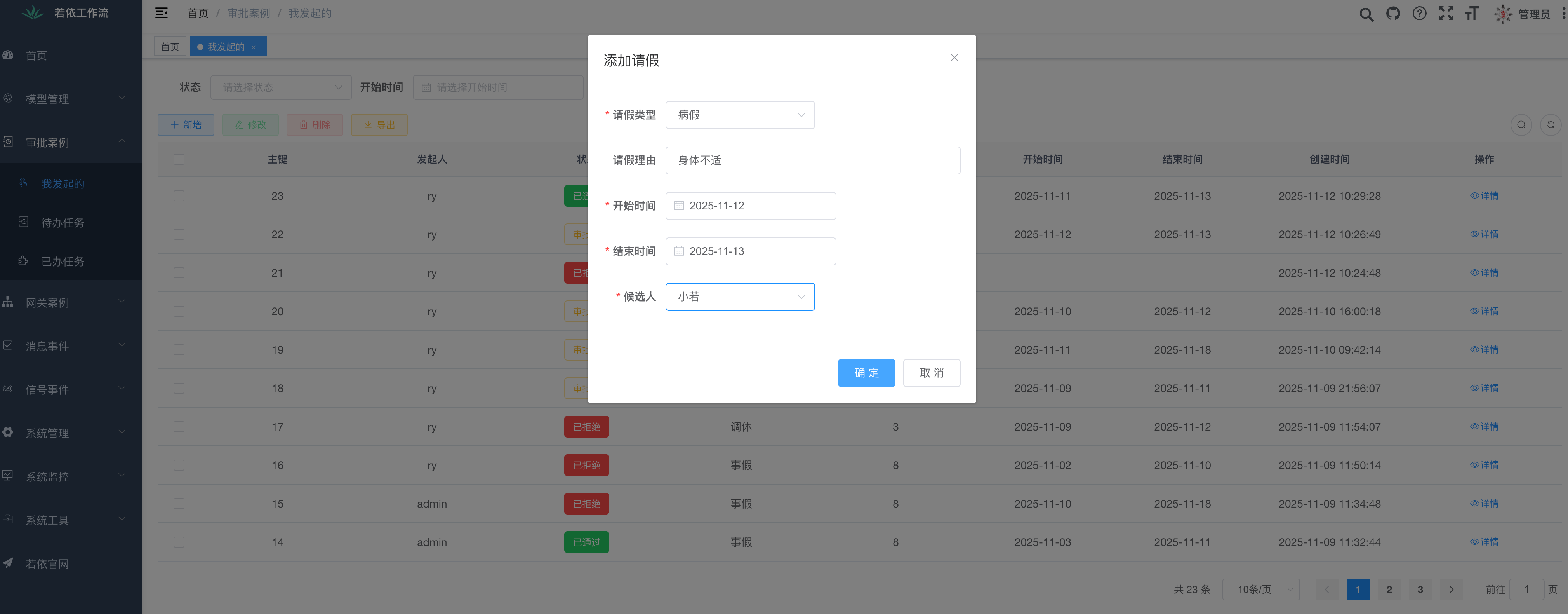
点击,确定按钮后, 我们可以看到提交的记录,以及审批时间线, 高亮之后的流程图。
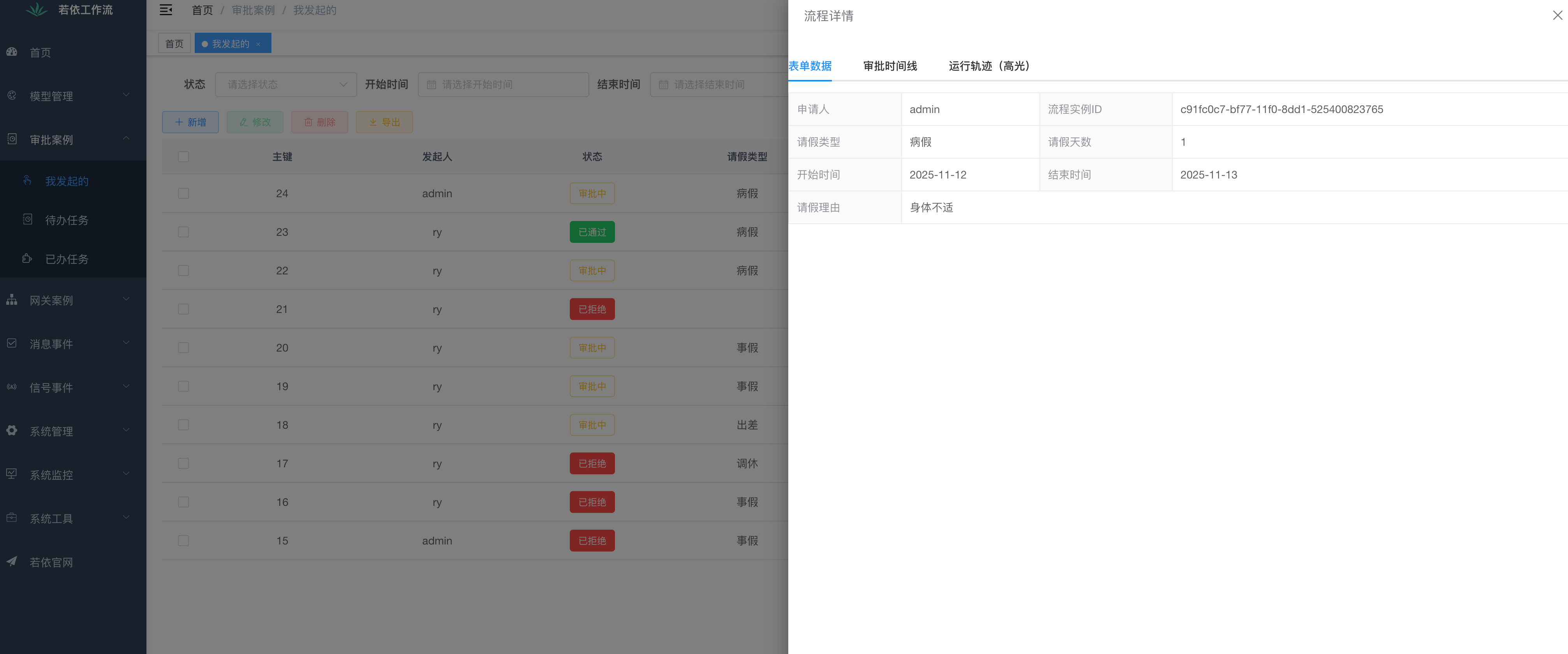 以上就是用户提交信息
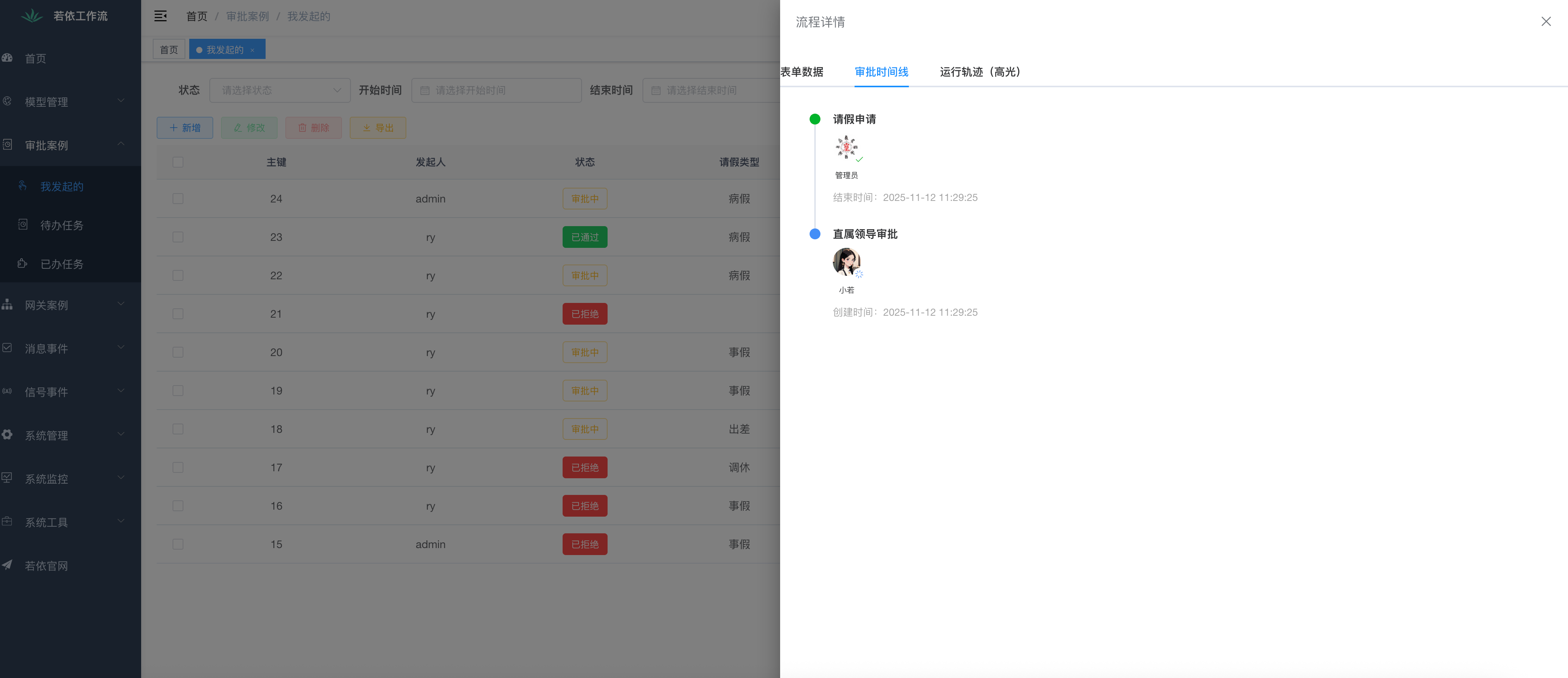 这条记录的审批时间线
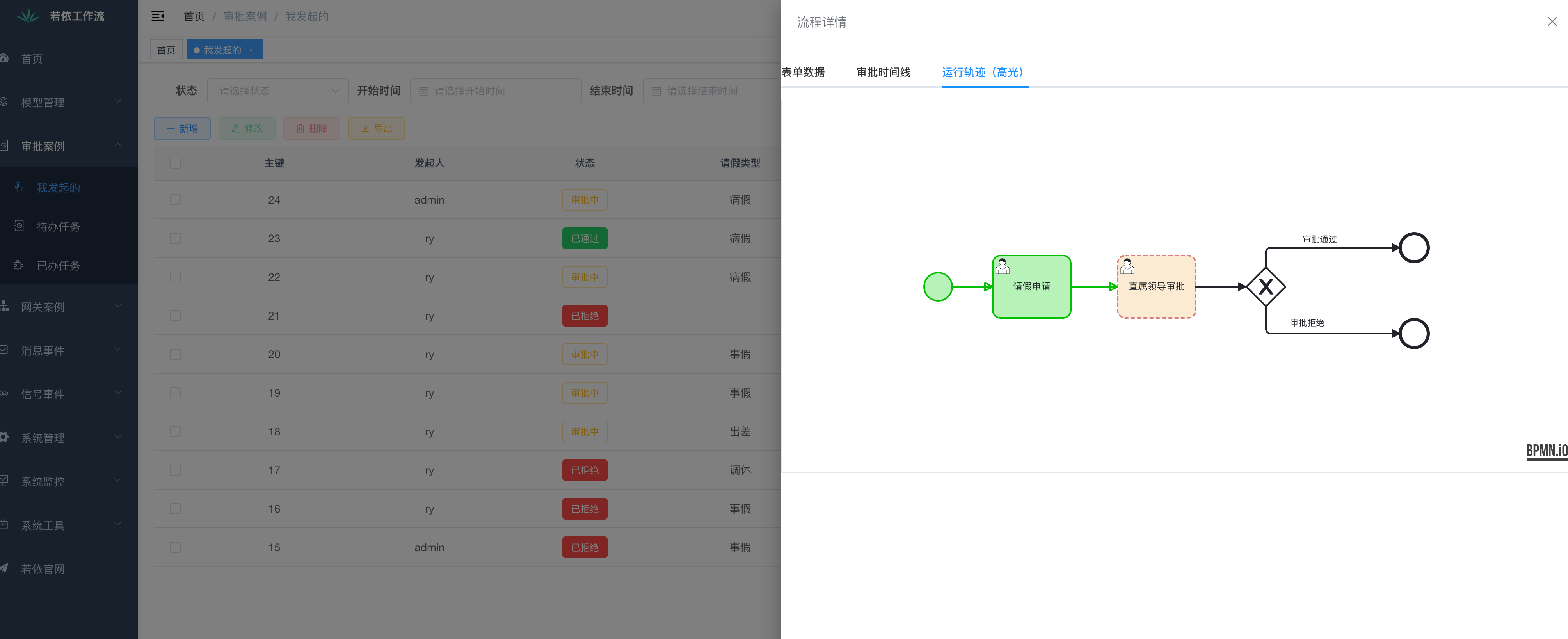 高亮之后的流程图
# 待办任务
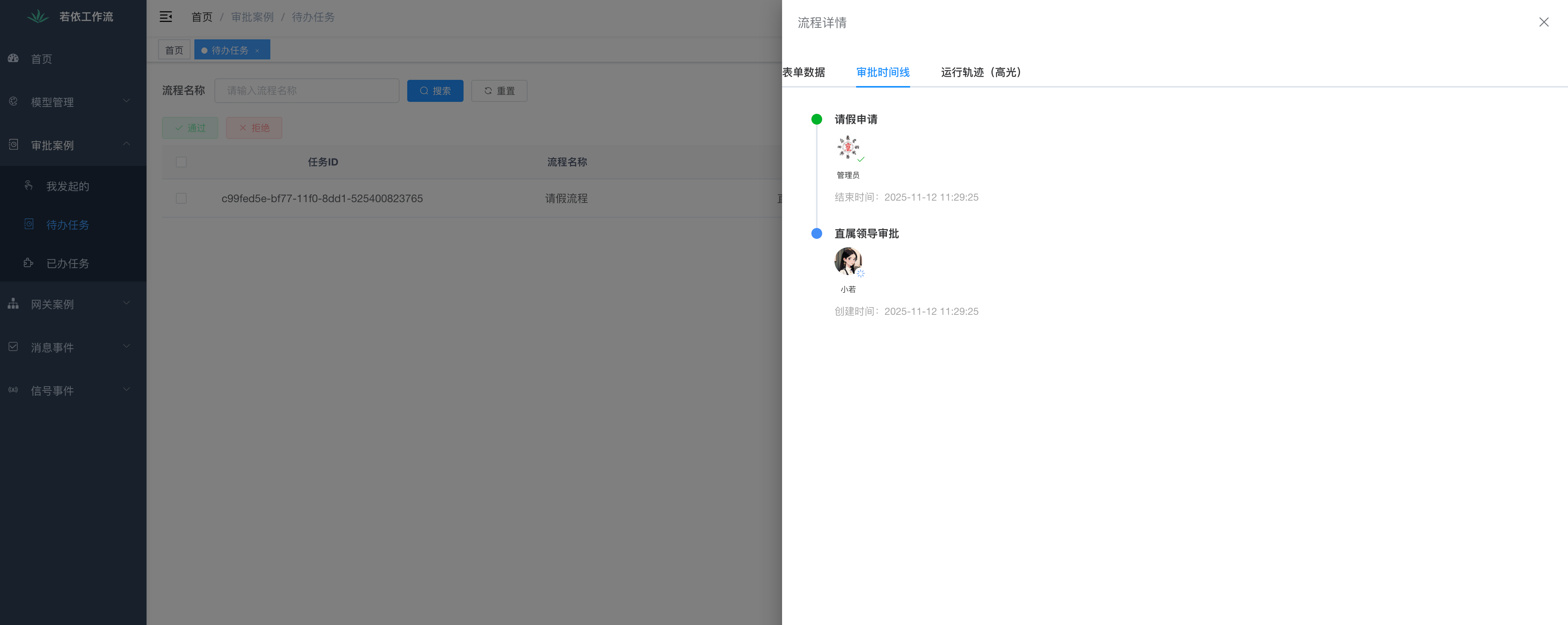
使用小若的账号(ruo/ry123456),找到待办任务菜单。 在这里您可以进行审批通过和审批拒绝的操作。

# 已办任务
使用小若的账号(ruo/ry123456),找到已办任务菜单。
此套代码直接对外出售, 请访问RuoyiFlow (opens new window)